Your free AI production studio
A full production team inside Claude Code — free.
You get this PDF right away, plus one email a week with the new guide. Unsubscribe in one click. Privacy
The problem
Research, script, storyboard, footage, voice, edit: one video is six jobs, and paying a tool for each one adds up fast. Most people stop at the script.
After this guide
You'll install OpenMontage on Windows or Mac and have Claude run the whole production, often for $0, with seven ready prompts from YouTube videos to Shorts and a plan for your first week.
What's inside
- What it costs (often $0) and what to expect
- Install on Windows or Mac, step by step
- 7 copy-paste prompts, from YouTube videos to Shorts
- A first-week plan
Free preview
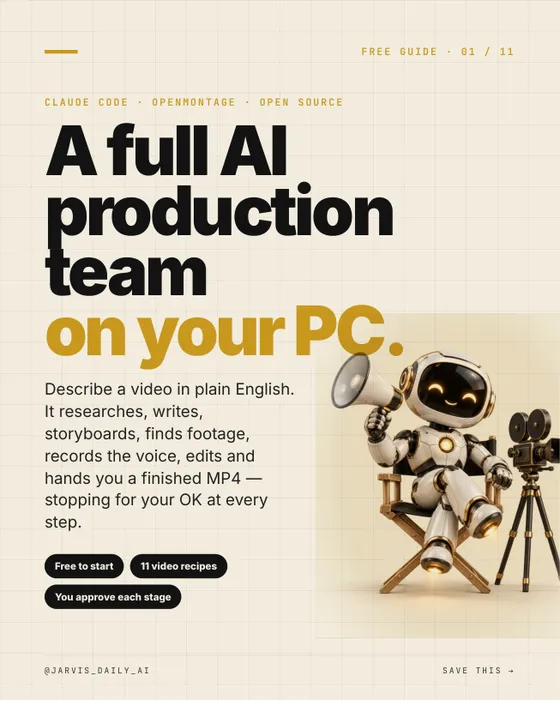
OpenMontage is a free, open-source project that turns Claude Code into a video production team. You describe a video in plain English, and it researches, writes, storyboards, finds footage, records the voice, edits and hands you an MP4, stopping for your approval at every stage. This guide is for anyone with a paid Claude plan who wants to make explainers, documentaries or YouTube videos on their own PC.
- Check what you needYou need a paid Claude plan (Claude Code is in every paid plan, Pro from $20/month), Windows 10+ or macOS 13+, and at least 4 GB of RAM. You also need Git, Python 3.10+, Node 22+ and FFmpeg.
- Install Claude Code and helpersInstall Claude Code, run claude and log in. Then ask Claude to install whatever is missing of Git, Python, Node and FFmpeg, asking before each install.
- Download and set up OpenMontageClone the OpenMontage repository from GitHub, then run the one-time setup. On Mac that is make setup; on Windows you can ask Claude to follow the README's Quick Start.
- Run the test driveOpen Claude Code inside the OpenMontage folder and ask it to render the zero-key demo videos and tell you where they're saved. Expect about an hour for the whole install.
- Describe your video and approve each stageGive Claude a prompt describing the video. It stops at the proposal, script, scene plan, visuals and publish stages, shows the cost and waits for your yes.
- Check footage licences and watch the resultKeys live only in the .env file, and you can ask for a list of every clip and its licence. Watch every video before you post it, and tick the AI content box on YouTube when it applies.
3 prompts from the guide
I'm starting a channel called [NAME] about [TOPIC] for [WHO]. Goal of this video: [GOAL]. Make the complete first video: 16:9, ~3 minutes, narration, music and captions. Research first, then show me 3 angles with a title each. Free tools only, real stock footage where it fits. Show the cost and wait for my approval at each stage.
Make a 90-second documentary montage about [TOPIC]. Real footage only, from free sources. Music yes, narration [yes/no], [TONE] tone. List every clip source and licence at the end.
Hard budget: $[AMOUNT]. Free tools first. Ask me before any paid step and show the running total.
The full guide has every step, all the prompts and the fixes for what usually goes wrong.
Questions
Is OpenMontage really free?
It is free and open source, and the free path makes clean explainers and documentaries. Example costs in the guide run from $0 for a 45–60 s animated explainer with free tools only to about $1.33 for a 60 s short with AI clips, voice and music. The default budget cap is $10.
How long does it take to set up and to make a video?
The first install takes about an hour. After that, a short video takes 10–20 minutes.
What do I need to run OpenMontage on my PC?
You need a paid Claude plan, Windows 10+ or macOS 13+, and 4 GB of RAM minimum, though more is better because rendering is heavy. You also need Git, Python 3.10+, Node 22+ and FFmpeg.
Will it spend money without asking?
No. It estimates cost before spending and pauses for any step over $0.50. It stops at every stage and waits for your approval.
Can I use the footage commercially and post it on YouTube?
Pexels is free for commercial use, while Archive.org and Wikimedia vary, so ask for a list of every clip and its licence. On YouTube, tick "Yes" for AI content when uploading realistic AI scenes or people. Mass-producing near-identical videos can cost you monetisation.
More free guides
 Let AI edit your videos
 Make a cinematic AI documentary
 Turn a script into a neon promo film
 DramaClaw: script to finished film
 Text-to-Video Prompt Pack: make a clip by typing
 Keep your AI character the same in every shot