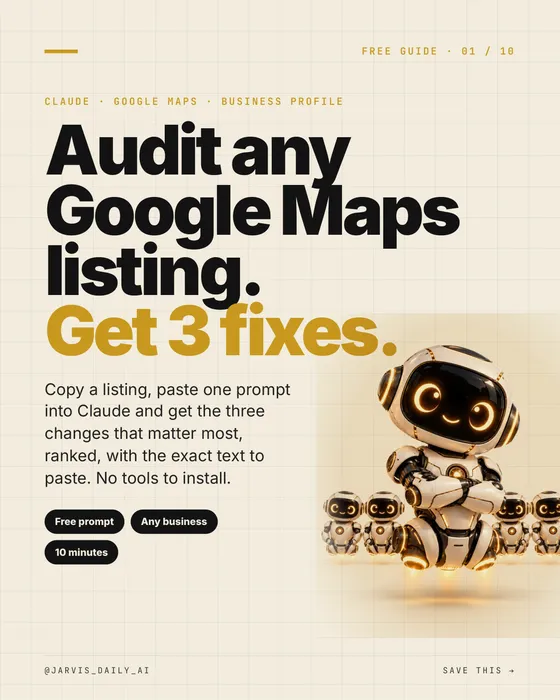
The Google Maps Listing Audit Prompt
Find the 3 fixes in any listing.
You get this PDF right away, plus one email a week with the new guide. Unsubscribe in one click. Privacy
The problem
A Google Maps listing can look fine and still hold back a local business: a name stuffed with hours, four vague categories, a description full of prices, reviews nobody answers. Spotting it by hand takes an hour, and you never know which fix matters most.
After this guide
You can audit any listing in about ten minutes. You get a score for relevance and prominence, the three fixes ranked by impact with the exact replacement text, and a friendly sentence to send the owner.
What's inside
- How Google ranks local results: relevance, distance, prominence
- What to copy from a listing, field by field
- The full audit prompt, ready to paste
- A tested example and follow-up prompts for reviews and descriptions
Free preview
This guide shows how to audit any Google Maps listing by copying its public details into one prompt for Claude. Claude compares the listing with Google's own Business Profile guidelines and returns three ranked fixes with the exact text to paste. It is for anyone who wants to check a business listing, their own or a local business's, and it needs only Claude and a listing on Google Maps.
- Know what Google ranksGoogle orders local results by relevance, distance and prominence. Distance is fixed by the address, so the audit looks at relevance and prominence.
- Copy the listingOpen the business on Google Maps and copy what any visitor can see into a note: name and category, address or service area, hours, phone, website, description, rating and review count, the 5 latest reviews and whether the owner replied, and the photo count. Write "missing" when a field is empty, because missing items matter too.
- Paste the prompt into ClaudeThe prompt comes in two parts that you paste as one message. Fill in the fields under LISTING with what you copied, then send.
- Read the 3 fixesEach fix has three parts: what Claude found (a quote from the listing), why it matters (the guideline or ranking factor), and the exact new text to paste. If the quote isn't really in what you pasted, discard that fix.
- Check against Google's rulesThe guide summarizes what Google says about names, categories, descriptions, business details and reviews, and links the official Google help pages so you can look the rules up yourself.
- Keep going in the same chatOnce the three fixes are done, stay in the same chat, because Claude already has the listing. You can ask it to reply to reviews, rewrite the description or compare with a competitor.
3 prompts from the guide
You are a local SEO auditor who knows Google's Business Profile guidelines.
Below is the public information copied from one business's Google Maps listing.
Audit it.
Rules:
- Use only what I pasted. If something is missing, write "missing". Never guess.
- Google ranks local results on relevance, distance and prominence. Distance can't be fixed, so judge relevance and prominence.
- Check against these Google guidelines:
  - The name matches the real-world name: no taglines, hours, phone numbers, URLs or keywords.
  - Fewest, most specific categories. Each one completes "This business IS a...".
  - The description explains services and history: no links, prices or promotions.
  - Hours, address or service area, phone and website are complete.
  - Reviews get replies.
Return exactly this:
1. SCORES: relevance and prominence, each out of 10, one line of reason each.
2. THE 3 FIXES, ranked by impact. For each one:
  - What I found (quote it)
  - Why it matters (the guideline or ranking factor)
  - The exact new text to paste
3. One friendly sentence I can send the owner.
LISTING:
Name:
Category:
Address / service area:
Hours:
Description:
Rating and review count:
Last 5 reviews (and whether the owner replied):
Photos (count or "unknown"):
Website and phone:
Write a short, polite reply for each of the 5 reviews I pasted. Mention one specific detail from each review. Keep them under 40 words.
The full guide has every step, all the prompts and the fixes for what usually goes wrong.
Questions
How do I audit a Google Maps listing?
Copy the public details of the listing into a note, then paste the guide's two-part prompt into Claude with those details under LISTING. Claude returns scores for relevance and prominence plus three ranked fixes.
What does Google use to rank local results?
Google orders local results by relevance, distance and prominence. Distance is fixed by the address, so the audit focuses on relevance (name, categories, description) and prominence (reviews, replies, photos and a complete profile).
Do I need to own the listing to audit it?
No. Everything the guide asks you to copy is public, so no login is needed and you can audit another business's listing.
Can I trust the fixes Claude gives me?
Each fix quotes the listing and names the guideline behind it, so you can check it quickly. If the quote isn't really in what you pasted, discard that fix. The guide also says to check that nothing Claude writes invents services, awards or years in business the owner hasn't confirmed.
What does the guide say Google's guidelines require?
The name should match the real-world name with no taglines, hours, phone numbers, URLs or keywords. Categories should be the fewest and most specific, and the description should cover services and history with no links, prices or promotions. Hours, address or service area, phone and website should be complete, and reviews should get replies.
From the blog
More free guides
 40 UGC videos in one night
 50+ ChatGPT slash commands
 Find clients with Claude and Google Maps
 Five buyers, one prompt
 The 3-Check Switch Scorecard
 The Answer-to-Action Prompt