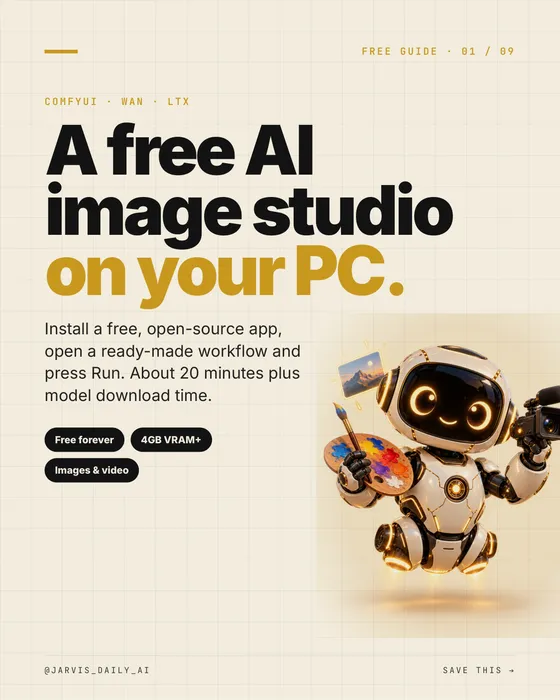
A free AI image studio on your own PC
Stop paying per image. Run it free.
You get this PDF right away, plus one email a week with the new guide. Unsubscribe in one click. Privacy
The problem
AI image tools charge every month, cap your usage and keep your pictures on their servers. A small budget shouldn't decide how many images you can make.
After this guide
You'll have a free studio running on your own computer: open a ready-made workflow, press Run and get images, with video models as your next step. Setup takes about 20 minutes plus model download time.
What's inside
- Three ways to install, from one-click to terminal
- How to read the five boxes of a workflow in a minute
- Your first image, and how the seed works
- Quick fixes for low memory and older graphics cards
Free preview
ComfyUI is a free, open-source app that makes AI images, video, audio and 3D models on your own computer. Each step is a box (a node); you connect the boxes and press Run. This guide is for anyone who wants to try it: it needs a GPU with 4GB VRAM, 8GB RAM and 20GB+ of free disk, and takes about 20 minutes plus model download time.
- Install ComfyUIPick one way in: the Desktop app from comfy.org/download (easiest, Windows or macOS), the portable build for Windows from the project's GitHub releases page, or the terminal with comfy-cli.
- Open a templateOpen Templates in the left sidebar and pick text-to-image first. It loads a full graph with every node already wired.
- Add the model filesPut the model files the template asks for in the right folders: checkpoints go in models/checkpoints, VAEs in models/vae.
- Read the five boxesLoad model, Text Encode (Prompt), Empty Latent Image, KSampler, and VAE Decode + Save Image. Together they pick the model, take your words, set the size, generate, and save the picture.
- Press RunEdit the prompt in the positive box, then click the blue Run button or press Ctrl + Enter. Change the seed for a new take: the same seed and prompt give the same picture.
- Go furtherTry a video template (Wan and LTX are supported) from the Templates panel. Save your work as a workflow JSON file, or browse more starting points at comfy.org/workflows.
2 prompts from the guide
A small red fox in a snowy forest at dawn, soft light, shallow depth of field, photo style.
pip install comfy-cli then comfy install
The full guide has every step, all the prompts and the fixes for what usually goes wrong.
Questions
Is ComfyUI really free?
Yes. The desktop app and the models you choose to download don't charge a monthly fee. There is no subscription and no usage cap, so the cost per image is your electricity.
What computer do I need to run ComfyUI?
The guide lists a minimum of 4GB VRAM plus 8GB RAM, and 20GB or more of free disk space for the models. It runs on Windows, macOS and Linux, with Nvidia, AMD, Intel and Apple Silicon GPUs. Big models can run on the minimum, just slower.
How do I fix an out of memory error in ComfyUI?
Lower the image size first, then try a smaller model. The guide also notes that low-VRAM cards work but are slow.
Why won't ComfyUI start on my old Nvidia card?
For a 10 series card or older, use the portable build made for older GPUs (the cu126 one). If the portable build won't open at all, update your Nvidia drivers and try again.
Can I make video with ComfyUI?
Yes. Supported video models include Wan and LTX, and you can start from a video template in the Templates panel. The guide says video models need far more patience than images.
From the blog
- Open-Source Grok Bot Alternative: Install OpenMausBot Free
- Kimi K3.1 Pro: Near-Opus Coding at Half the Price (and the Catch)
More free guides
 Game From One Sentence
 Build Your Own AI Gadget
 Try It On Before You Buy
 The 8 Free Clones Cheat Sheet
 3 AI agents racing to be your personal AI
 Dots, Muse and Grok Bot look alike. They do three different jobs.