Open-Source Grok Bot Alternative: Install OpenMausBot Free

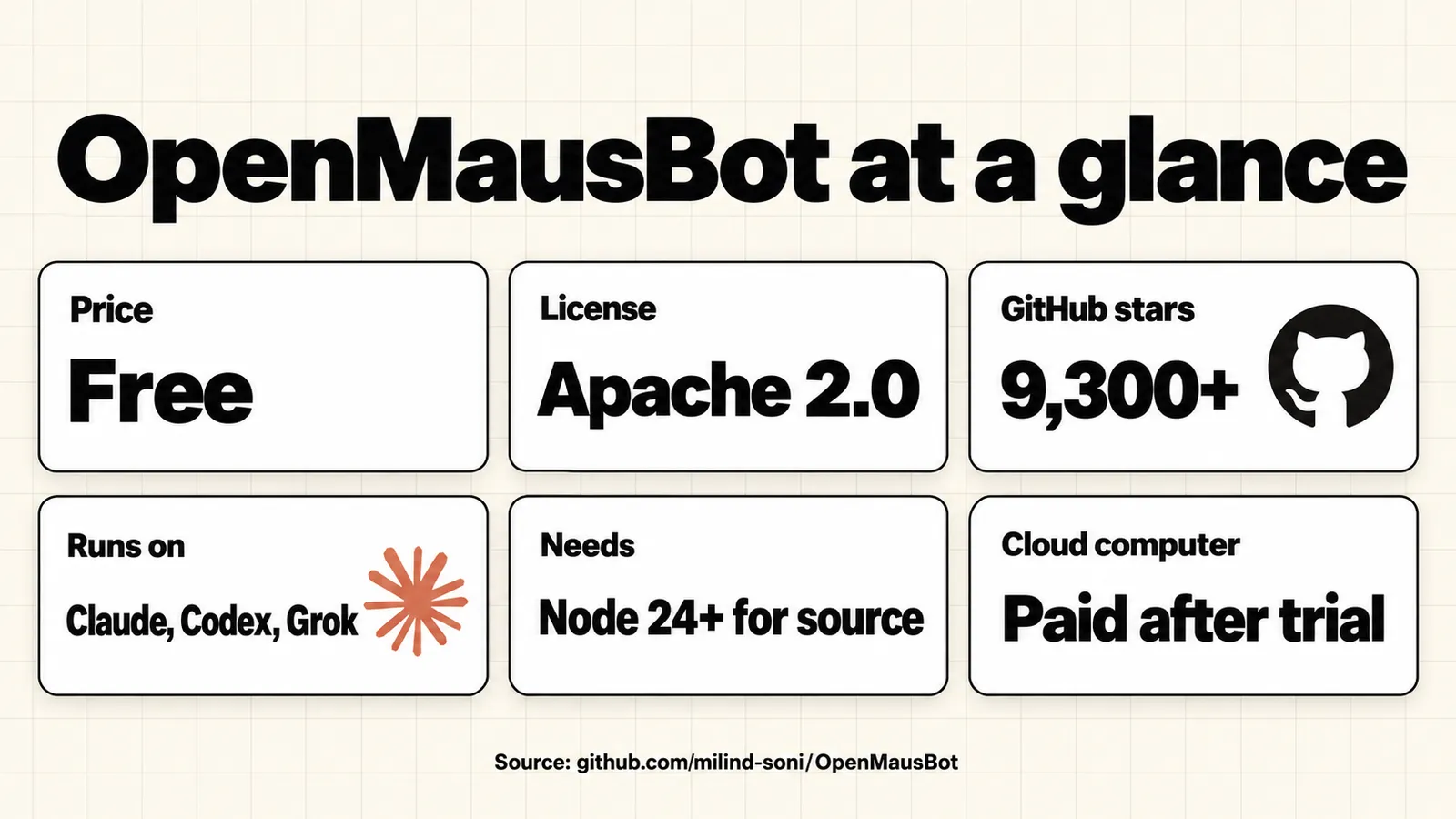
A free, open-source Grok Bot alternative called OpenMausBot is climbing GitHub. The repo has more than 9,300 stars and over 1,200 forks, and it only started in August. It gives you a team of AI bots in a chat app, each with its own model and its own computer, running on your machine under an Apache 2.0 license.
Is it worth your time? If you already pay for Claude, Codex or Grok, probably yes. The app is free and uses the logins you already have. The cloud computer part is the catch, and it is not free forever.
What is OpenMausBot, the open-source Grok Bot alternative?
OpenMausBot is a desktop chat app where every contact is a real AI agent. Its README calls it an independent project inspired by Grok Bot. It is not made by xAI, and the README says it is not affiliated with xAI, Meta, OpenAI or Manus.
- Your agents: each bot runs on the
claude,codexorgrokcommand-line tool already installed on your computer. No new accounts and no proxy in the middle, says the README. - Local first: a small server on
127.0.0.1runs every agent process. Transcripts, keys and events are stored in~/.openmausbot. - A computer per bot: a bot can use a cloud Linux desktop, an isolated Local VM, or your own computer if you opt in.
- Connected apps: 500+ apps such as Gmail, Slack, GitHub and Notion through Composio.
- Ask first: shell commands and file edits can show up as Allow or Deny cards in the chat.
The project is young. The repo was created on August 11, 2026, and the latest release, v0.1.135, shipped on October 31.
How is it different from Grok Bot?
Grok Bot is xAI's roster of bots on one shared cloud computer. OpenMausBot keeps that shape but opens it up. The table below uses the README's own comparison, so it is the maker's view, not an independent test.
| Question |  Grok Bot |  OpenMausBot |
|---|---|---|
| Which models? | Grok only, per the README | Claude, Codex or Grok, one per bot |
| Where does it run? | On xAI's cloud computer | On your machine, with optional cloud computers |
| Cost to start | A SuperGrok or Cursor plan, per the README | Free app, you bring your own CLI logins |
| Source code | Closed | Open, Apache 2.0 |
The Grok Bot column is how the OpenMausBot README describes it, so check xAI's own pages before you rely on it.
How do you install OpenMausBot?
The fastest way is a release file. The app has the server built in, so you do not set anything else up.
- Install one agent CLI first. You need at least one of Claude Code, Codex or the Grok CLI, already logged in. The bots will not run without one.
- Download your build from the latest release: a .dmg for Mac (Apple silicon or Intel), a setup .exe for Windows, or a .deb or AppImage for Ubuntu 24.04.
- Run it. On Windows the installer is not code-signed yet, so SmartScreen says "unknown publisher". Click More info, then Run anyway, as the README instructs.
- Add a bot from the sidebar and pick its model.
To build from source, you need Node 24 or newer and pnpm:
git clone https://github.com/milind-soni/OpenMausBot && cd OpenMausBot
pnpm install
pnpm dev:server
pnpm dev
The first command starts the server on 127.0.0.1:8799. The second serves the app at http://127.0.0.1:5199.
What can it actually do?
The README documents two jobs you can try on day one.
A scheduled inbox summary. Tell a bot "every weekday at 9, send me a summary of my inbox". The README says the bot sets up a trigger in that same turn, and the chat shows a card where you can edit, pause or undo it. This needs Gmail connected through Composio, which asks for a free project key from Composio.
A one-line job from a terminal. The project ships an openmausbot command for scripts. Its docs show this example:
openmausbot team apply team.yaml
openmausbot run "Room Lead" "Rehearse the launch of https://example.com" --export ./out
The bot does the job, asks any teammates it needs, and saves what they made into ./out. This uses the headless CLI.
We have not run either job ourselves. Both come from the project's own docs.
What is the catch?
Before you hand it your accounts, know these three things.
- Full access by default. According to the approval levels doc, every bot starts at Full access, where each engine runs in its most permissive mode. The approval cards matter most at lower levels, so set a stricter level on a bot before you connect Gmail.
- The cloud computer costs money. Bots get their cloud desktop from Boat. The README says Boat is a paid service after its trial.
- Early software. The Windows installer is unsigned, Ubuntu is beta, and Linux Wayland blocks bot control of your computer for now.
One more warning from the README: OpenMausBot has no cryptocurrency token. Any coin using its name is not connected to the project.
Should you try it?
If you already use Claude Code or Codex and want a team of bots you can message like contacts, OpenMausBot is a free way to find out. Start with one bot, a strict approval level and one small job, like the inbox summary.
FAQ
Is OpenMausBot free?
The app is free and open source under the Apache 2.0 license. Your bots run on Claude, Codex or Grok command-line tools you already have, so those plans still apply. Bot cloud computers come from Boat, which the README says is paid after its trial.
What is OpenMausBot used for?
It is a chat app where each contact is an AI agent with its own model, personality and computer. You can message bots, give them jobs, connect apps like Gmail through Composio, and schedule tasks such as a weekday inbox summary. Bots ask for approval depending on their level.
Is OpenMausBot made by xAI?
No. The README says OpenMausBot is an independent project inspired by Grok Bot and is not affiliated with xAI, Meta, OpenAI or Manus. It also states that the project has no cryptocurrency token, and that any coin using its name is unconnected.
Which systems does OpenMausBot run on?
Released builds exist for macOS on Apple silicon and Intel, Windows x64, and Ubuntu 24.04 x64 as a .deb or AppImage, which is in beta. Running from source needs Node 24 or newer and pnpm, plus at least one logged-in agent CLI: Claude Code, Codex or Grok.
Is OpenMausBot safe to use with my accounts?
It asks before risky actions through Allow or Deny cards, but its docs say every bot starts at Full access, the most permissive level. Set a stricter approval level on each bot before connecting Gmail or other apps, and start with one small, low-risk job.
Researched with AI, checked by a human. About the author