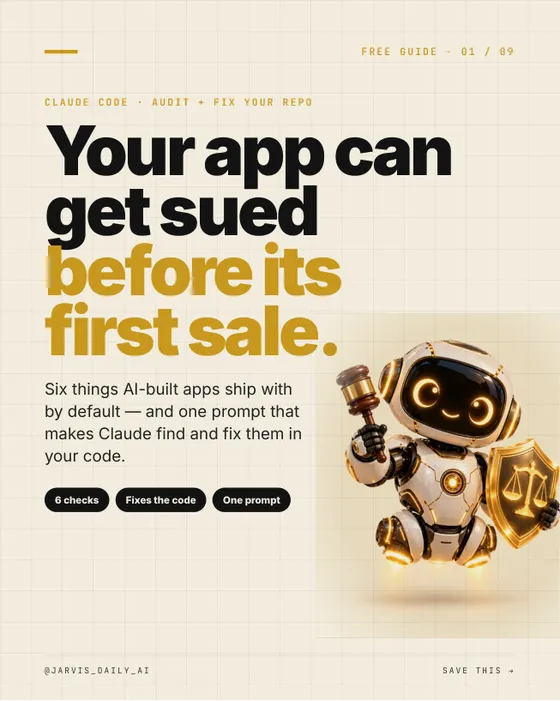
Six legal holes in your AI-built app
Ship your app without shipping a lawsuit.
You get this PDF right away, plus one email a week with the new guide. Unsubscribe in one click. Privacy
The problem
AI builds you a working app in a weekend. It also quietly adds things that get apps fined: tracking without consent, no age check, emails without an unsubscribe, renewals nobody agreed to. You won't notice until a letter arrives.
After this guide
You'll know the six holes AI-built apps ship with, and you'll run one prompt that makes Claude find and fix them in your own code. Plus the three steps only a human can do.
What's inside
- The six holes and how each one is fined
- Age gate, fonts, session replay, email, renewals, uploads
- The full audit-and-fix prompt
- The three steps only you can do
Free preview
This guide covers six legal gaps that AI-built apps tend to ship with by default: no age gate, Google Fonts IP leaks, session replay, broken marketing email unsubscribes, silent renewals, and no DMCA agent. It gives you one long prompt that makes Claude Code audit your repo, fix the code, and report what is left for you to do. It is for founders and builders shipping apps made with AI tools.
- Open Claude Code in your repoRun claude inside the project folder. On claude.ai, attach the repo or the relevant files instead.
- Paste the whole promptThe prompt is long on purpose, because "fix the legal stuff" gets a short, shallow answer. Each item asks for evidence, a fix, and what is left for you.
- Read the final tableA few items always end with "you still need to", such as registering the DMCA agent, adding your postal address, and updating your policy pages. Only you can do those.
- Review on a fresh branchRun the prompt on a fresh git branch so you can review every change before it goes live.
- Finish the manual itemsRegister a DMCA agent ($6, about 15 minutes), add a real mailing address to every marketing email, and fill in your company details on the privacy and terms pages. Have a lawyer look when money is on the line.
- Run it again before changesRe-run the prompt each time you add sign-ups, email, payments or uploads, and before every launch.
3 prompts from the guide
Audit this codebase for the legal exposure AI-built apps ship with by default.
For each item: find where it applies here (or prove it doesn't), fix it in the
code, and at the end give me a table of what you changed, which files, and
what I still have to do myself. Show evidence — don't skip anything that
"looks fine".
1. Age gate: every place an account is created or a name/email/photo is
collected — add a 13+ / date-of-birth check, validated server-side, before
anything is stored. Under 13: refuse and store nothing.
2. Fonts and third-party assets: find remote fonts, CSS and JS loaded on page
load (Google Fonts, Typekit, jsDelivr, unpkg, cdnjs…). Self-host every font
with local @font-face. List each remaining third-party script and the data it
receives.
3. Session replay and analytics: turn replay off by default. Where it stays,
mask all inputs, never record password/payment/email fields, and start only
after explicit, stored, revocable opt-in — not a banner that assumes consent.
4. Marketing email: every commercial email gets a working one-click
unsubscribe, our postal address, and List-Unsubscribe + List-Unsubscribe-Post
headers. Check the suppression list before every send. Mark transactional
emails clearly in the code.
5. Subscriptions: next to every pay/subscribe button show price, interval,
automatic renewal and how to cancel, with affirmative consent. Add an in-app
cancel as easy as sign-up, a confirmation email repeating the terms, and a
reminder before a free trial charges.
The full guide has every step, all the prompts and the fixes for what usually goes wrong.
Questions
What legal problems do AI-built apps usually ship with?
The guide names six: no age gate (COPPA), Google Fonts leaking visitor IPs, session replay without consent (CIPA), marketing email without a working unsubscribe or postal address (CAN-SPAM), silent subscription renewals (California ARL), and no DMCA agent for user uploads. Each is fined per child, visitor, session, email, renewal or image, so the risk grows with every sign-up.
Do the fines in the guide apply to my app?
Not necessarily. The guide says the big numbers you see online are statutory maximums, and whether any applies depends on where your users are and what your app does. The guide fixes the code, and a lawyer confirms the rest.
Why does loading Google Fonts count as a problem?
Loading Google Fonts sends every visitor's IP address to Google. The guide cites a 2022 Munich court case in the EU. Its fix is to download the font files into the repo, use a local @font-face, and remove the remote link.
What do I still have to do myself after Claude finishes?
Claude cannot do everything. You register a DMCA agent with the US Copyright Office ($6, about 15 minutes), add a real postal address (a P.O. box or virtual mailbox works) to marketing emails, and read and complete the privacy and terms pages with your company details. The guide also advises having a lawyer look when money is on the line.
How often should I run the audit prompt?
Run it once before launch, and again each time you add sign-ups, email, payments or uploads. A new sign-up flow, email, pricing page or upload feature is a reason to re-run it before it ships.
More free guides
 Let Claude run Higgsfield for you
 230+ AI specialists for Claude Code
 The Claude Code creative studio stack
 The Reverse-Engineering Starter Kit: 5-minute setup + 10 prompts
 The Free Website Stack
 The Diagram Pack for Claude