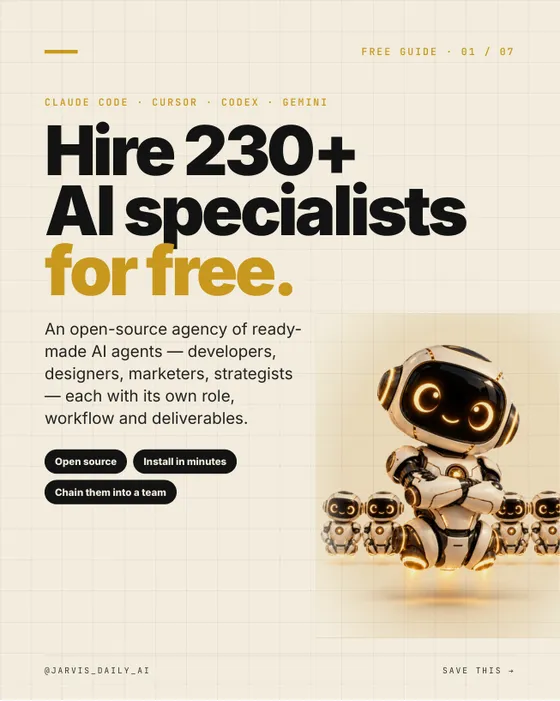
230+ AI specialists for Claude Code
Hire a whole agency. Pay nothing.
You get this PDF right away, plus one email a week with the new guide. Unsubscribe in one click. Privacy
The problem
One general-purpose AI gives you general-purpose answers. For real work you need a developer, a designer and a marketer who each know their craft — and you can't afford them.
After this guide
You'll install an open-source library of 230+ ready-made specialist agents, call the right one for the job and chain them into teams that hand work to each other.
What's inside
- Installing with the app or the terminal
- Activating the right specialist
- Ready-made teams for common goals
- Chaining specialists into a workflow
Free preview
The Agency is an open-source collection of 230+ specialised AI agents, such as developers, designers, marketers and strategists, that you install into Claude Code, Cursor, Codex or Gemini. Each one has a role, a workflow, deliverables and success criteria. This guide is for anyone who would rather install the right specialist for a job than ask one generic AI to do everything.
- Pick your install methodThe easiest route is the Agency Agents desktop app (Mac, Windows, Linux), which lets you browse the roster and install agents without copying files by hand. For Claude Code you can also install from the terminal.
- Install from the terminalClone the repo from github.com/msitarzewski/agency-agents, then run the install script with the claude-code tool flag. You can install just one division, or copy agent files by hand into ~/.claude/agents/.
- Activate one specialistMatch the job to the specialist and name it in your request. A generalist gives generic answers, while a specialist follows its own workflow and hands you its deliverable.
- Start with three to five agentsDon't install everything, because with 230 agents in one place your AI has to guess which one you meant. The guide suggests sets for building a startup, growing a brand, building AI products and running a local business.
- Chain them into a teamRun specialists in sequence: Strategy Agent, Product Manager, UI Designer, Frontend Developer, then Code Reviewer. Each one works from the previous one's output.
- Give context and a deliverableThe guide's key tip is to pair context with a concrete deliverable in your prompt. Then pick three specialists, give each a real task, and chain them.
3 prompts from the guide
git clone https://github.com/msitarzewski/agency-agents.git
cd agency-agents
./scripts/install.sh /-tool claude-code
Activate Frontend Developer mode and build a responsive landing page for my SaaS.
You are the Marketing Specialist. I'm launching an AI automation product for small businesses. Analyse this landing page, find the top 5 positioning problems, and return a revised positioning statement plus 10 launch post ideas.
The full guide has every step, all the prompts and the fixes for what usually goes wrong.
Questions
What is the Agency (agency-agents) for Claude Code?
It is an open-source collection of 230+ specialised AI agents, including developers, designers, marketers and strategists. Each has its own role, personality, workflow, deliverables and success criteria. You install the specialist for the job instead of asking one AI to do everything.
How do I install AI agents in Claude Code?
The easiest way is the Agency Agents desktop app, which installs agents into Claude Code, Cursor, Codex or Gemini. From the terminal, clone github.com/msitarzewski/agency-agents and run ./scripts/install.sh with the claude-code tool flag. You can also copy agent files into ~/.claude/agents/ by hand.
How many agents should I install?
The guide recommends three to five. With 230 agents in one place your AI has to guess which one you meant, but five sharp ones it always picks right.
How do I use a specific AI specialist?
Name the specialist in your request, for example by asking it to activate Frontend Developer mode or SEO Specialist mode. Match the job to the specialist, since a specialist follows its own workflow and hands you its deliverable.
Can I combine several agents into a team?
Yes. The guide chains a Strategy Agent, Product Manager, UI Designer, Frontend Developer and Code Reviewer, with each one building on the previous step. Start by picking three specialists and giving each a real task, then chain them.
More free guides
 Six legal holes in your AI-built app
 Let Claude run Higgsfield for you
 The Claude Code creative studio stack
 The Reverse-Engineering Starter Kit: 5-minute setup + 10 prompts
 The Free Website Stack
 The Diagram Pack for Claude